This guide is for distributors’ technical managers. It explains how to activate and manage administrator accounts for the technical section of the “Mutoh Club for Dealers.” Every dealer should have at least one administrator who manages all internal technical staff accounts.
TABLE OF CONTENTS
Introduction
If no administrator has been assigned yet, Mutoh Europe will send an invitation email that includes a “Control ID.” The procedure below helps you register and activate an administrator account so you can manage your internal staff accounts (add/edit/delete).
Prerequisites and notes
- This is a one-time procedure when an administrator is registered for the first time.
- Make sure you have received a “Control ID” in the invitation email from Mutoh Europe (required).
- This procedure will ask you to enter your company information during registration.
Register a new administrator
- Open the registration page: https://club.mutoh.co.jp/mutoh/user?id=MsaLogin
- Enter the “Control ID” which is MEN98675110. Also enter the email address of the person you want to assign as the “Administrator” of the MUTOH Club.

- After temporary registration, MUTOH Club will send an email to the assigned administrator with a login ID and an initial password.
- The assigned administrator must check their emailand click the URL in the message to access the login screen of “MUTOH Club for Dealers.” The email includes a temporary login and password:
============================================================
Mutoh Industries Ltd. MB-Web System   Announcement of the User Registration
============================================================

This e-mail was sent automatically to the users who had been newly registered to the Mutoh MB-Web system as the membership with the online service.

Corporate Name: MEN test as dealer

Login ID: [new_administrator@xxx.xxx](mailto:new_administrator@xxx.xxx)
Password: xxxxxxxx

Please access to the URL below using the login ID and password described above to complete the user authentication.

Then, you will be able to use the service for members.
[https://club.mutoh.co.jp/mutoh/user?id=PreLogin](https://club.mutoh.co.jp/mutoh/user?id=PreLogin)

After the user registration is completed, you will be able to use the MB-Web system anytime by accessing the URL below.

## [https://club.mutoh.co.jp/mutoh/user](https://club.mutoh.co.jp/mutoh/user)

## ・If you have any questions, please contact [MUTOH_Club@mutoh.co.jp](mailto:MUTOH_Club@mutoh.co.jp).

Mutoh Industries Ltd.
- The new administrator uses the provided authentication info to activate the account via:
[https://club.mutoh.co.jp/mutoh/user?id=PreLogin](https://club.mutoh.co.jp/mutoh/user?id=PreLogin) and then clicks Registration.
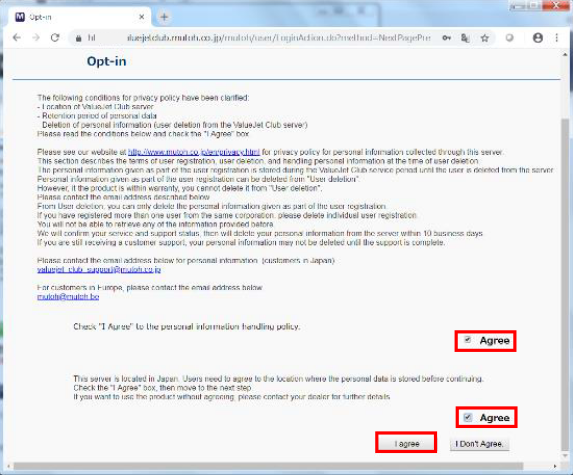
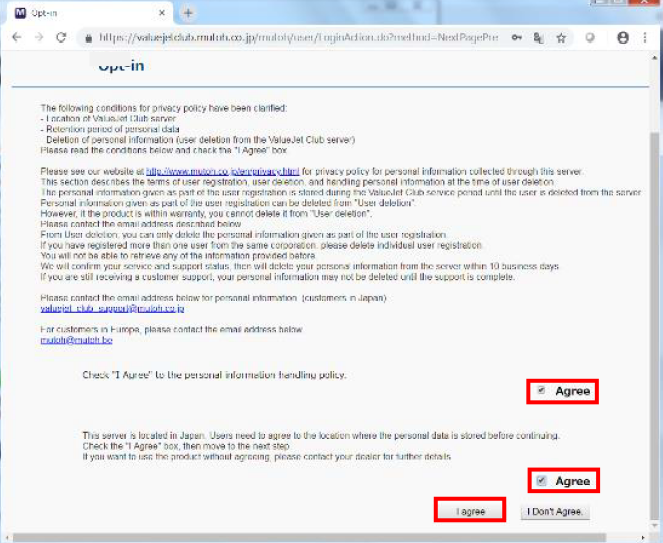
- Agree with the opt-in form.
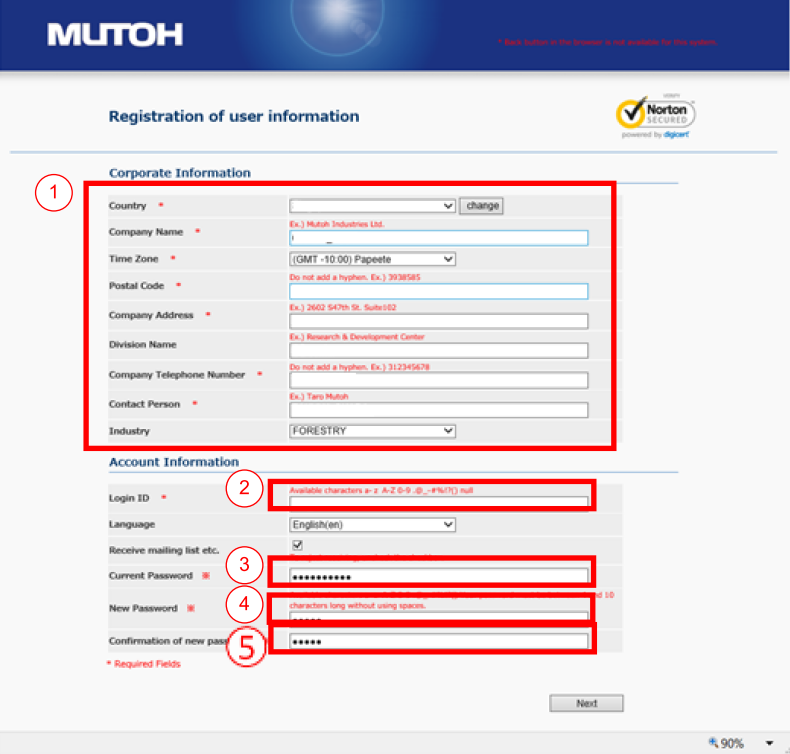
- Enter your complete company information (1 in the screen below).
- Enter a new ID name of your choosing (2 in the screen below).
→ Do not use an email address here; choose a “nickname” instead. Important: If you already have an account on the MUTOH Club for end-users, do not use the same login (this will cause registration problems). - Enter the initial password given in the invitation email (3 in the screen below).
- Enter a new password that you want to change to (4 in the screen below).
- Enter the new password again (5 in the screen below).
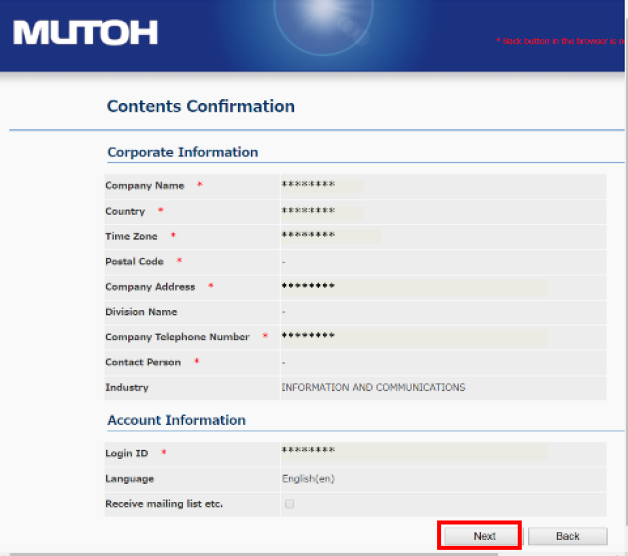
- Verify your entered data and click Next.
- Click Registration.
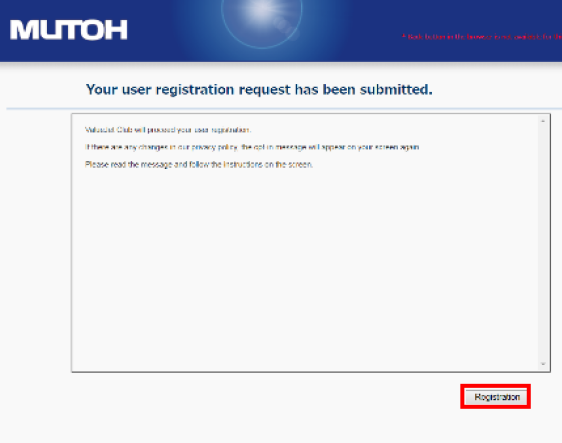
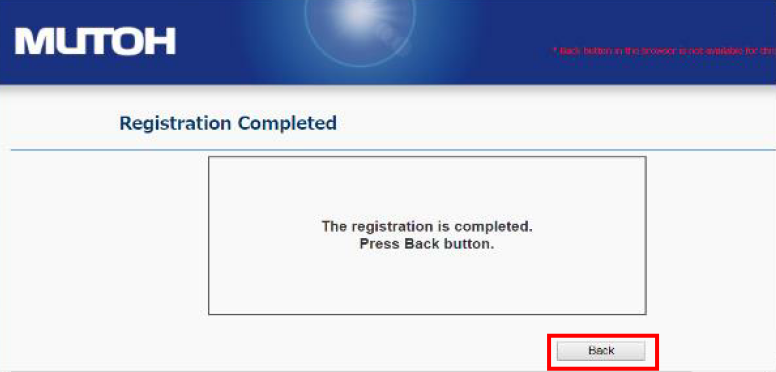
- When you see the following window, click Back and log in with your chosen login ID and personal password.
- Since your account is now registered, you can log in at the URL for dealer users & administrators: [https://club.mutoh.co.jp/mutoh/user](https://club.mutoh.co.jp/mutoh/user)

- After logging in successfully, click Agree to all once more.
After activation
Ready! From now on, as an administrator you can:
- Add/Edit/Delete accounts (for your own staff: technicians/engineers): Mutoh Club - Dealer User registration
- Grant additional rights (normal user or administrator) to existing or new users: Mutoh Club - Dealer User registration
- With your personal login and password, you can also download the MSA tool if you are servicing our products.
Was this article helpful?
That’s Great!
Thank you for your feedback
Sorry! We couldn't be helpful
Thank you for your feedback
Feedback sent
We appreciate your effort and will try to fix the article