This guide is for all technicians/engineers. Your technical manager (administrator) must add and register you on the “MUTOH Club for Dealers” first. After that, you’ll receive an email to activate your personal account.
TABLE OF CONTENTS
Introduction
This article is applicable for all the technicians/engineers. They need to be added and registered first by their technical responsible/manager on the “MUTOH Club for Dealers.” Once registered by their responsible, each technician must check their email and will then be able to activate their own personal account.
Access and requirements
Once registered, users will have access to the Dealer section of the “MUTOH Club for Dealers,” enabling downloads of technical service-related software tools like the MSA (version 5 or higher).
IMPORTANT
Your personal “MUTOH Club for Dealers” account data is required to access the MSA tool starting from version 5.0.0.
Activate your account
In the first step, your administrator (the technical manager or service responsible who manages all the users in your organization) must register your personal account.
Once registered, you will receive an email that allows you to register yourself as a “user” on the “MUTOH Club for Dealers.”
- Open the email you received from MUTOH Club after your administrator added your personal account:
============================================================
Mutoh Industries Ltd. MB-Web System   Announcement of the User Registration
============================================================

This e-mail was sent automatically to the users who had been newly registered to the Mutoh MB-Web system as the membership with the online service.

Corporate Name: Distributing Company name

Login ID: new_user@xxx.xxx
Password: xxxxxxxx

Please access to the URL below using the login ID and password described above to complete the user authentication.

Then, you will be able to use the service for members.
https://club.mutoh.co.jp/mutoh/user?id=PreLogin

After the user registration is completed, you will be able to use the MB-Web system anytime by accessing the URL below.

https://club.mutoh.co.jp/mutoh/user
------------------------------------------------------------------------
 ・If you have any questions, please contact MUTOH_Club@mutoh.co.jp.
------------------------------------------------------------------------
Mutoh Industries Ltd.
- The new user enters the provided authentication info to activate their account via:
https://club.mutoh.co.jp/mutoh/user?id=PreLogin and clicks “Registration”.
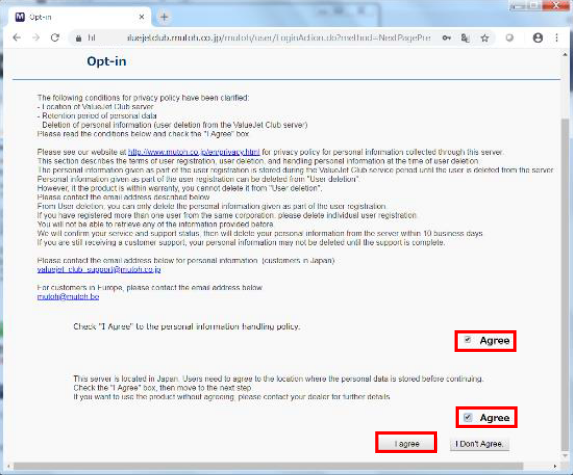
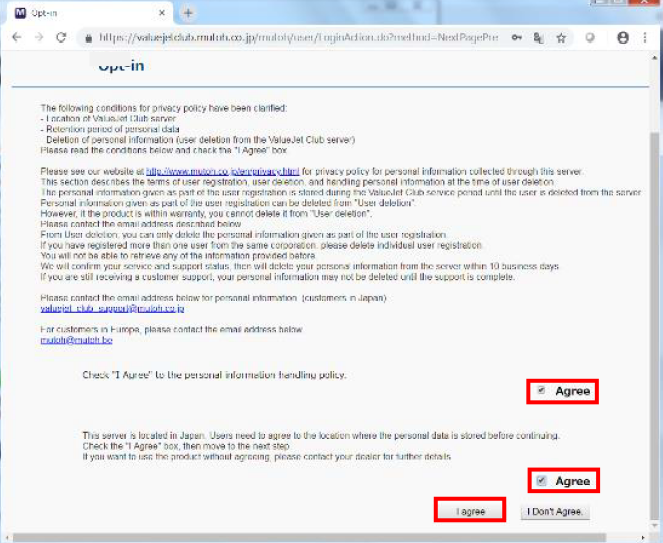
- Agree with the opt-in form.
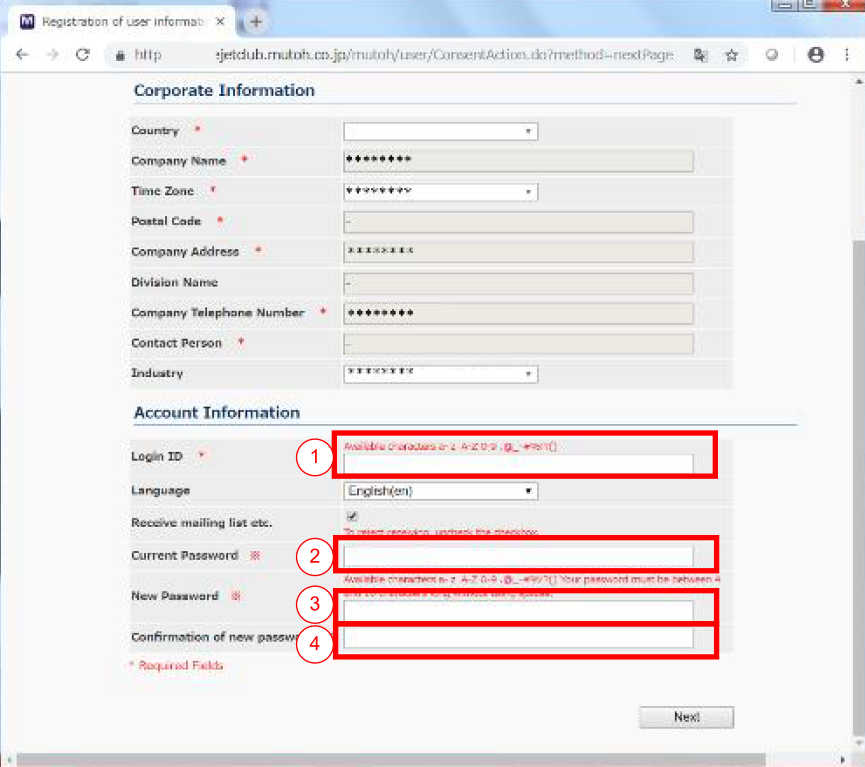
- Enter a new ID name of your choosing.
→ Do not use an email address here; choose a “nickname” instead (1). - Enter the initial password given in the invitation email (2).
- Enter a new password that you want to change to (3).
- Enter the new password again (4).
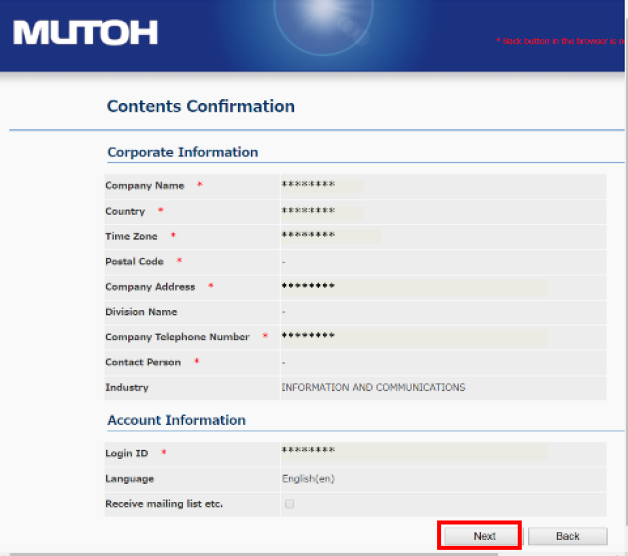
- Verify your entered data and click “Next”.
- Click “Registration”.
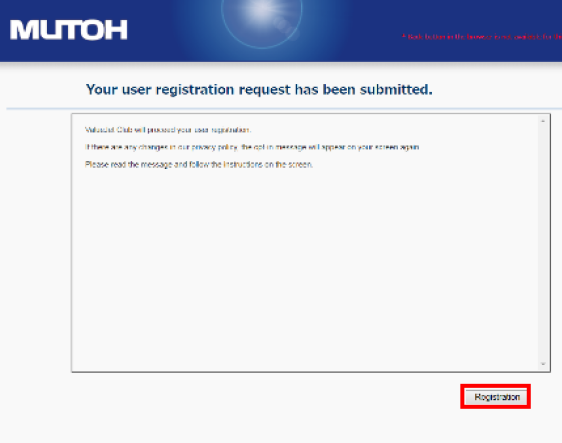
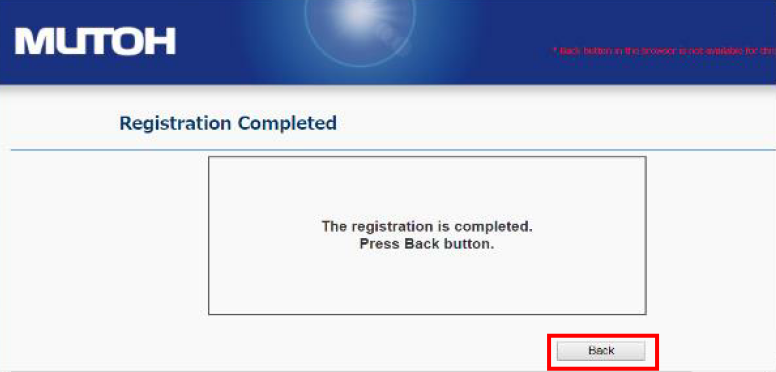
- When you get the following window, click “Back” and log in with your chosen login ID and personal password.
- Since your account is now properly registered, you can log in at the following URL for Dealer users & administrators:
https://club.mutoh.co.jp/mutoh/user
- After successful login, click “Agree” to all once more.
- Ready — your personal account is now activated!
From now on, as a user you can:

After activation
- You can access dealer-only downloads and tools.
- Keep your login and password secure; you will use them for the MSA (v5+).
Revision history
Article changes
Revision 1.0 : 13 November 2019 - Initial release
Revision 1.1 : 31 October 2025 - Layout and language update
Was this article helpful?
That’s Great!
Thank you for your feedback
Sorry! We couldn't be helpful
Thank you for your feedback
Feedback sent
We appreciate your effort and will try to fix the article