The ValueJet printer family can handle a large variety of digital printing material types. Depending on the environmental conditions in the room where the ValueJet is installed, the media type and dedicated application the behaviour of the material on the printer may vary considerably. Moreover, in each geographical area, similar media may behave differently depending on the manufacturer and/or manufacturing-process.
As a result some materials might behave less good than others and may potentially result in print quality issues. Cited tips and tricks can be useful tools to improve the media handling on your ValueJet printer.
However, it is not a guarantee that every media kind which is available on the market will be processed properly on the ValueJet. Media compatibility still needs to be evaluated on a case-by-case basis.
This document describes the different possible media handling difficulties one might encounter when printing on a ValueJet printer and summarizes some tips and tricks on how to improve these occurrences.
Attention points:
- Cited tips and tricks will not help if:
1. The media unwinding-winding system is not properly aligned as described in the dedicated documentation. Alignment of the system should always be the first step in diagnosing media handling issues.
2. The material is not loaded in an accurate way. When the media is not attached precisely to the front winder core it might shift to the left and right, because it will try to compensate for the accumulated tensions.
3. Environmental conditions differ from the recommended environmental conditions.
General Rule-of-thumbs:
1.Alignment of winding system:
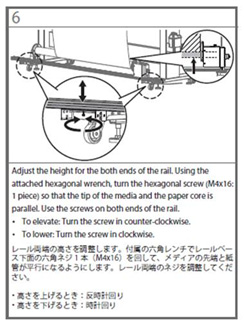
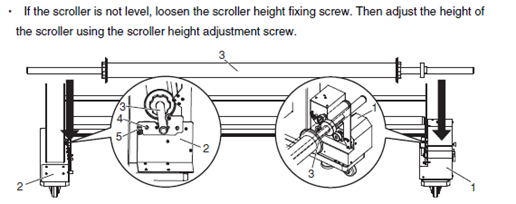
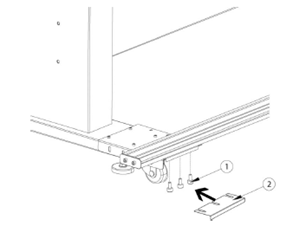
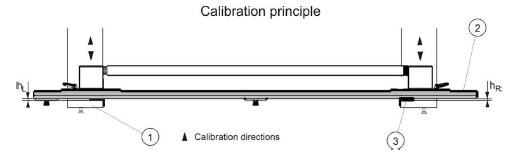
The media unwinding-winding system should be at all times properly aligned. As a result the alignment of the system should always be the first step in diagnosing media handling issues.
When a printer is moved to a different location it is a good idea to check if the winder is still within specification.
Please consult the dedicated User Guide to understand how to perform such an alignment.
Some illustrations.
- VJ1619-TUP30:
- VJ16TUP30:
- ZMY-14800 / 14810: See user guide from page 25.
- "ZMY-14600: See User Guide from page 28.
2.The material should be loaded in an accurate way:
When the media is not attached precisely to the front winder core it might shift to the left and right, because it will try to compensate for the accumulated tensions.
Generally there are 2 major application fields:
- Solvent based applications
- Water based applications
In both application fields different media types are being used, which are - consequently - behaving differently.
1 Solvent based applications
Topic 1 - Media cockling:
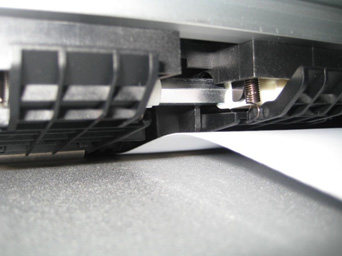
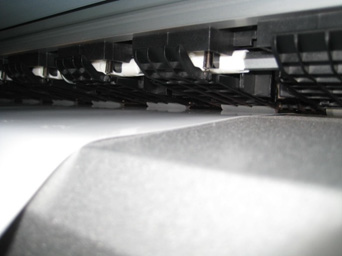
Media on the rear platen (just before the media feed roller) may randomly curl up on the left or right side during long print runs. Meandering from left to right (or vice versa) may also occur.
Both phenomena are causing an increased media-tension at the rear side of the printer. If the increase is too much and the media cockling moves to the print platform a head-strike might occur (see picture NOT OK).
| NOT OK | OK |
 |  |
Possible improvements:
1) When working with a UW100 (ZMY-14600):
Adding extra weight on the rear swing bar by using the weight upgrade-kit (KY-14625). This kit is standard included in the ZMY-14600 series manufactured as of January 2016
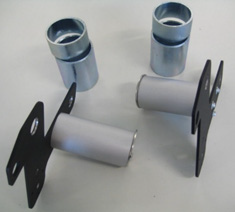 | 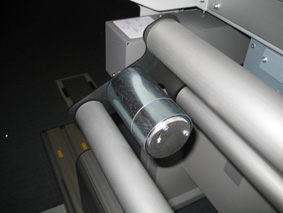 |
Applying extra weight on the rear swing bar will increase the pull-back force on the media resulting in a more flat media path on the pre-heater. Simultaneously this extra force will create an extra slip of the material under the pressure rollers improving the media-feed and resulting in a more straight winding on the front winding system. (Instructions on how to mount, are bundled with the KY-14625 kit).
2) When working with the standard ValueJet media roll holders:
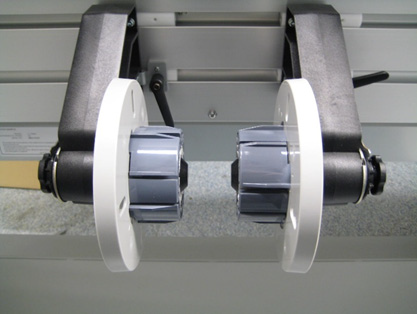
If your machine is equipped with a 'torque' roll holder mechanism, the torque can be increased / decreased. There are 3 possible configurations
| No torque at all (rolls are loose) | Low torque | High torque |
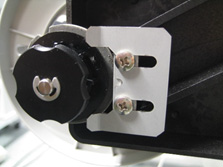 | 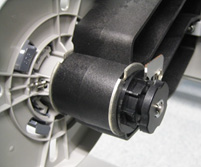 | 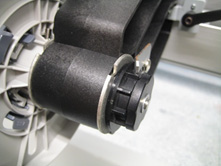 |
Move the media roll holder torque knob to the maximum setting 'High torque' on both left and right holder. This will increase the pull force on the roll holders resulting in increased media slip under the pressure rollers between each media-feed.
3) General guidelines (independent of winder type):
- The “Media loading lever” has two positions (to be used depending on the situation)
- In the first position the pressure on the material is limited allowing it to slip.
- In the second position the pressure is higher creating a more firm grip on the material.
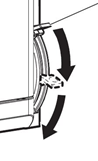 In most cases the first position is recommended. Allowing some media slip will result in more straight media transportation and will reduce the media cockling in general.
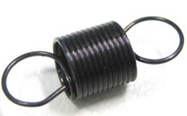
- Use of “low pressure” springs.
Each pressure roller contains a set of 2 springs to create a specific amount of force onto the grid roller. Mutoh offers 2 different spring types, “Pressure spring 1700" and “Pressure spring 1300". In the standard configuration the units are equipped with the stronger 1700 springs. However, when mounting the 1300 springs, less pressure is given on the media resulting in more slip under the pressure rollers and improving the media-feed.Pressure spring 1700 (default) - DG-42357 Pressure spring 1300 - DF-49751 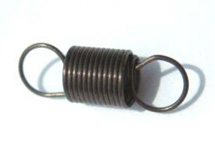
Topic 2 - Poor winding of the media on the front side:
General remark: as stipulated in the “media cockling” chapter, poor winding behaviour can be solved in many cases by applying above-mentioned tricks: extra weight or torque on the unwinding (rear) side, use of the less tension springs.
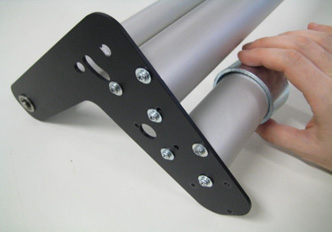
However in some cases the media winding is not acceptable due to too low or too high winding tension at the front. For this purpose the kit “KY-14626 - Front swing bar upgrade kit” has been developed. The kit offers extra flexibility for the operator to either increase or reduce the forward-tension on the front-side winder of the printer. This kit is standard included in the ZMY-14600 series manufactured as of January 2016.
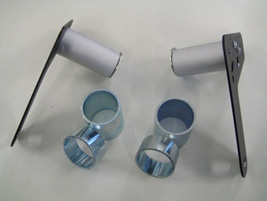
These front swing bar brackets have additional holes, offering multiple tensioning-configurations.
- Too high winding tension:
These situations may occur when using a ZMY-14600 winding system where the front swing arms are pushing too hard on the material before it is wound on the winding core. In these cases it is required to reduce the tension on the front-side. This can be achieved by following these recommendations:
Step 1: Do not use the extra weights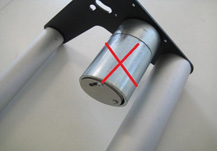 Step 2: Move the fixed swing bar from the outer position towards the rotation point of the swing arm system.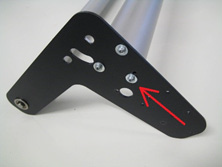
- Too low winding tension:
These situations may occur when using a ZMY-14600 winding system where the front swing arms are not pushing enough onto the media before it is wound on the winding core. In these cases it is required to increase the tension on the front-side. This can be done by adding the extra weights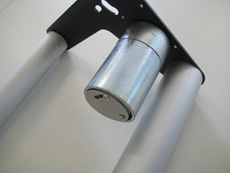 Other possible situations can be created by changing configurations.
Additional configurations Remove the weight to decrease the tension 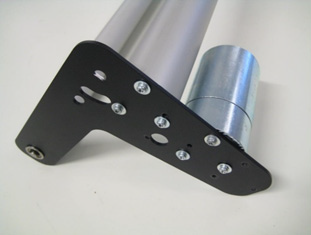
Topic 3 - Pressure roller marks on the media-surface:
Some materials for digital solvent printing have a finishing coating, which can be different across geographical areas (depending on local chemical regulations). This coating adheres, in some cases, to the silicon pressure rollers from the ValueJet printers. When afterwards another media type is used, the possibility exists that this new media gets “contaminated”, due to the chemical interaction of the coating on the silicone roller and this media. This will be visualized in the print-out in the form of vertical tracks (which have the width of the pressure rollers).
Cleaning the pressure rollers with Isopropyl alcohol will in most cases resolve this issue. Customers exchanging their media types frequently, can upgrade their pressure rollers set-up to a type that is more resistant to this coating adhesion/ release phenomenon.
| Standard equipped pressure rollers: | Upgrade pressure roller: Part code: DG-40577 - (1pc) |
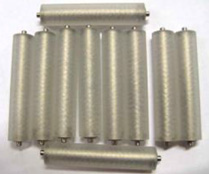 | 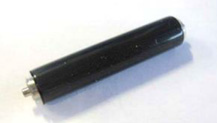 |
Please check the amount of pressure rollers required on the exploded view of the concerned unit.
Topic 4 - General attention point:
Entry-level media types with paper backing should, when not printing, always be conserved wound on the roll and not rolled out on the printing platform.
Why? The media is produced in a moisturised environment and when the media unrolls, the backing paper is exposed to the environment. Too long exposure of the material to specific (dry) environmental conditions may have a drying effect on the paper backing which can result in a negative influence on the media behaviour. When media remains in the printer overnight (or longer) it is advised to loosen the tension of the media by winding it back on the rear roll instead of leaving it mounted through the swing arms. This will avoid that media takes the 'shape' of the rear swing bar media path, resulting in possible head-crashes when this area reaches the print-platform area.
2 Water based applications
Topic 1 - Media cockling:
Situation 1
Digital printing materials for water-based ink applications have a totally different behaviour than those designed for solvent applications. Paper tends to expand a lot when inks are applied because of the huge water-absorption inside the paper. When the paper is inhibited to expand freely on the printer platform it may result in media-cockling and head strikes.
Possible improvement:
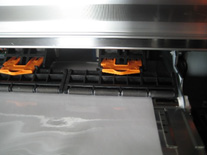
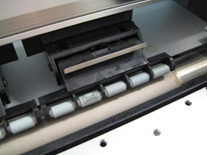
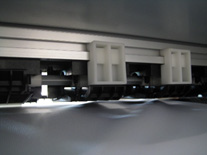
Pressure roller disablers > to allow the paper to expand freely some pressure rollers can be disabled.
Different kinds:
| Smaller units (RJ-900X(G)+VJ-628) | VJ-1938W | Other VJ-units (DG-42628) |
 |  |  |
How to apply?
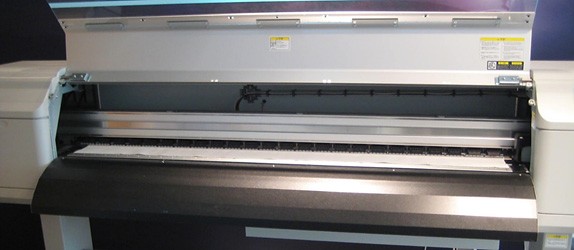
When media is loaded, disable the outer 2 to 4 pressure rollers on both left and right sides depending on media and machine-size. This will help relieve the paper on the sides and allow it to properly expand without stress when inks are absorbed. The relief of mechanical stress will avoid cockling and media-crashes.
Situation 2: (see also Solvent applications)
Media on the rear platen (just before the media feed roller) may randomly curl up on the left or right side during long print runs. Meandering from left to right (or vice versa) may also occur. Both phenomena are causing an increased media-tension at the rear side of the printer. If the increase is too much and the media cockling moves to the print platform a head-strike might occur (see picture NOT OK).
Possible improvements:
1) When working with a UW100 (ZMY-14600): > adding extra weight on the rear swing bar by using the weight upgrade-kit (KY-14625).
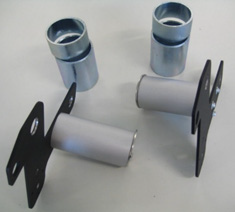 | 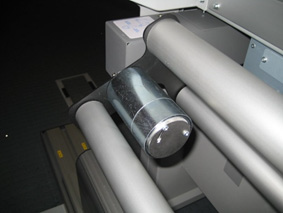 |
Applying extra weight on the rear swing bar will increase the pull-back force on the media resulting in a more flat media path on the pre-heater. Simultaneously this extra force will create an extra slip of the material under the pressure rollers improving the media-feed and resulting in a more straight winding on the front winding system. (Instructions on how to mount, are bundled with the KY-14625 kit).
2) When working with the standard ValueJet media roll holders:
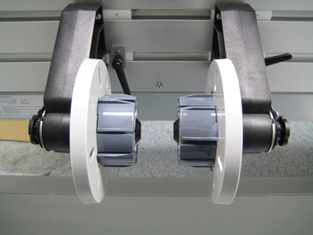
If your machine is equipped with a 'torque' roll holder mechanism, the torque can be increased / decreased. There are 3 possible configurations:
| No torque at all (rolls are loose) | Low torque | High torque |
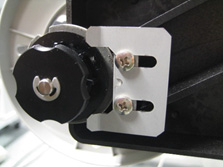 | 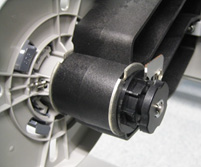 | 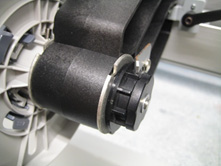 |
Move the media roll holder torque knob to the maximum setting 'High torque' on both left and right holder. This will increase the pull force on the roll holders resulting in increased media slip under the pressure rollers between each media-feed.
3) General guidelines (independent of winder type):
- The “Media loading lever” has two positions (to be used depending on the situation)
- In the first position the pressure on the material is limited allowing it to slip.
- In the second position the pressure is higher creating a more firm grip on the material.
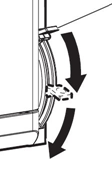 In most cases the first position is recommended. Allowing some media slip will result in more straight media transportation and will reduce the media cockling in general.
Topic 2 - Poor winding of the media on the front side:
Because paper expands while being printed, more forward tension should be applied at the front side of the printer. In case of sublimation transfer printing it is also important that the media (transfer paper or textile) is wound straight on the front core in order to be able to post-process the printed roll in the sublimation apparatus.
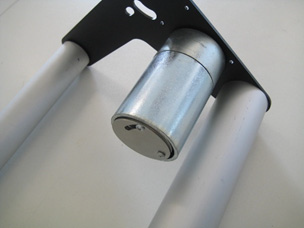
By adding additional weight on the front-swing bar the media will be pushed forward, allowing it to have improved control in winding and avoiding potential media-crashes. These extra weights can be applied by means of the kit KY-14626 (see description above).
Was this article helpful?
That’s Great!
Thank you for your feedback
Sorry! We couldn't be helpful
Thank you for your feedback
Feedback sent
We appreciate your effort and will try to fix the article