In order to avoid having ink leakage or missing nozzles it is very important that the Mutoh ink bags are being loaded properly into the high capacity adaptors.
How to correctly load the ink packs is explained in the operation manual but here are some attention points and tips:
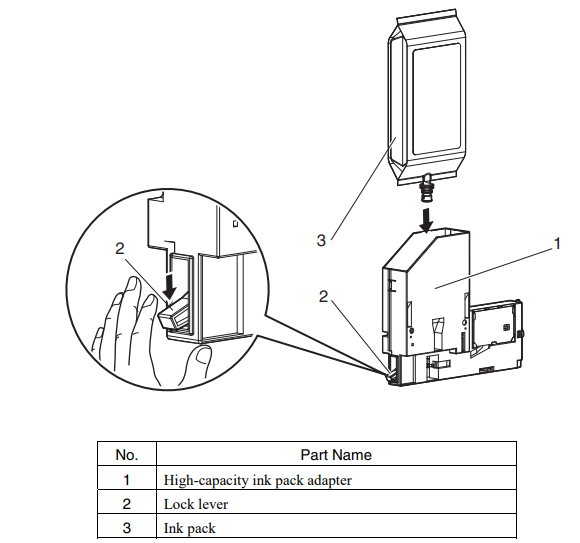
- Make sure that the ink pack is inserted all the way in the adaptor by holding down the orange lever while inserting:
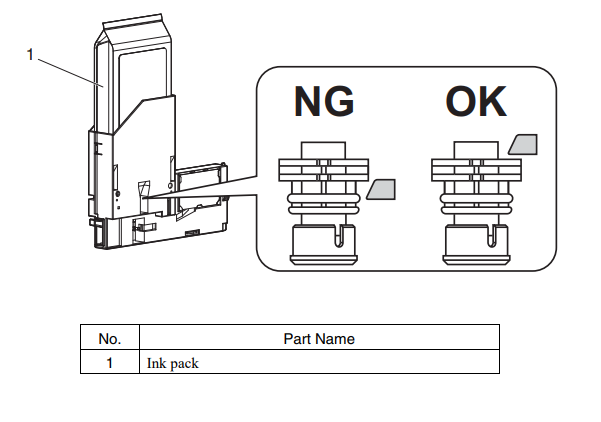
- Be sure that the ink pack is fully seated by ensuring that the lock mechanism is at the top of the ink delivery neck:
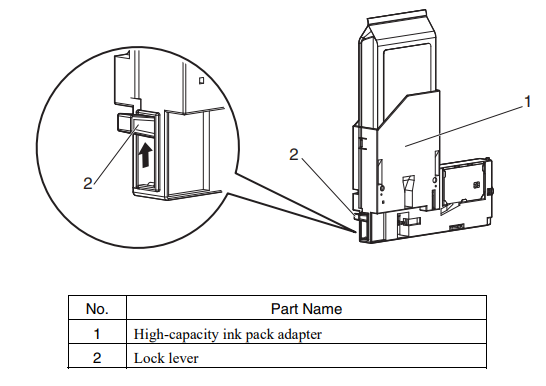
- Make sure that the orange lock lever of the ink adaptor is back into its original "up" position after loading the ink bag:
IMPORTANT: Following ink types have a slightly different internal bung design (ink outlet) in comparison to the bags of the other ink types and might need (in some cases) a little more attention in correctly loading into the adaptors
- VJ-UA31-xx1000E
- DS3-xx1000PE
- MS51-xx1000E
- DS4-xx1000PE
A procedure to be used in order to be 100% sure that they are loaded correctly is shown here:
1. Put the adaptor in its side on a flat surface (table):
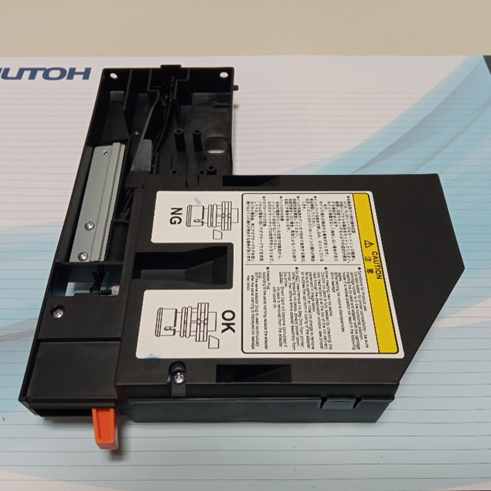
2. Insert the bag while holding down the orange lever
3. Check the position of the orange lock mechanism:
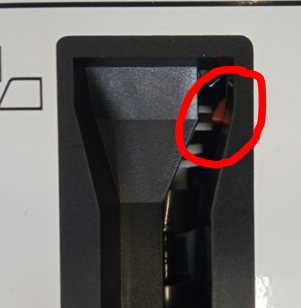
4. In case the bag is not far enough down:
while holding down the orange lever use a ruler (or similar tool) to push the ink bag further until it is in its correct position.
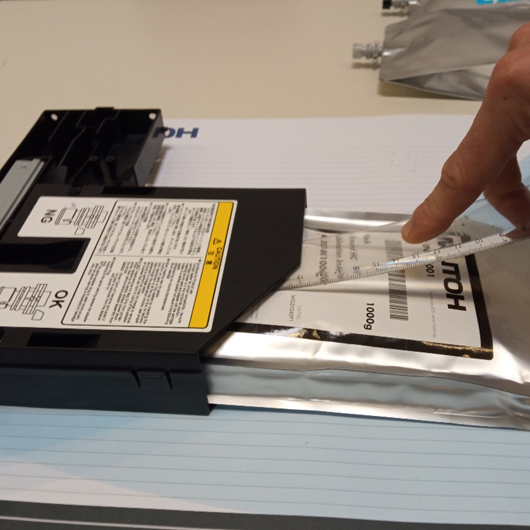
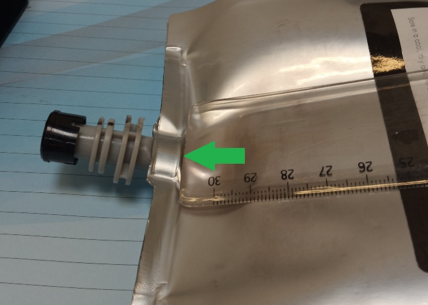
==> position where to push with the ruler:
Was this article helpful?
That’s Great!
Thank you for your feedback
Sorry! We couldn't be helpful
Thank you for your feedback
Feedback sent
We appreciate your effort and will try to fix the article