- Start VerteLith
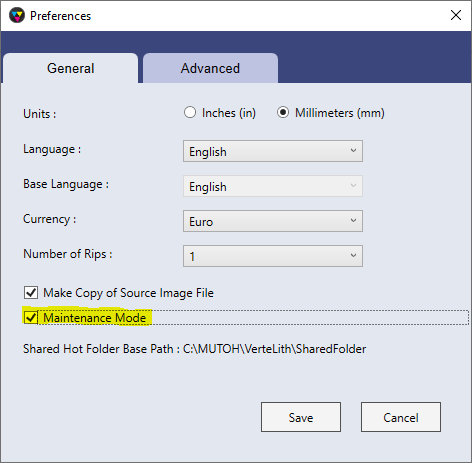
- Select 'Manage > Preferences' from the menu
- enable Maintenance Mode
- Select 'File > Generate Logs' from the menu
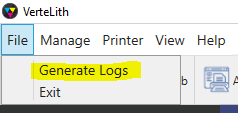
- send us the log files (.zip).
Was this article helpful?
That’s Great!
Thank you for your feedback
Sorry! We couldn't be helpful
Thank you for your feedback
Feedback sent
We appreciate your effort and will try to fix the article